Navigation menu
hello Guest

Student Manual
Link with Instructor
After the successful enrolment into a course, you will receive an email from uCertify support. Open the email, select and copy the Section Key. Click the Open button to open the course. On the Course Dashboard, click the Link with your instructor button on the top right side of the page.
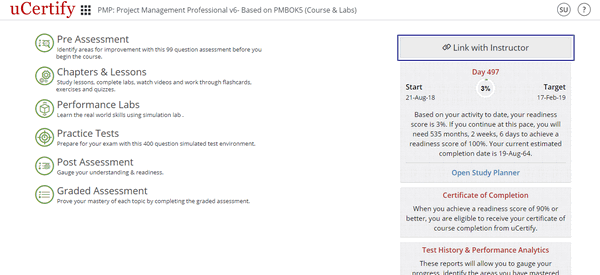
Figure 5.1: Course Dashboard with Link with Instructor Button
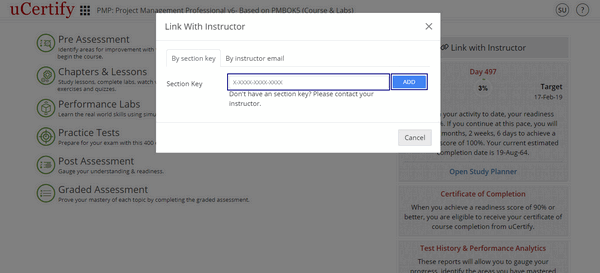
Figure 5.2: Course Dashboard with Link with your instructor by Section Key Option
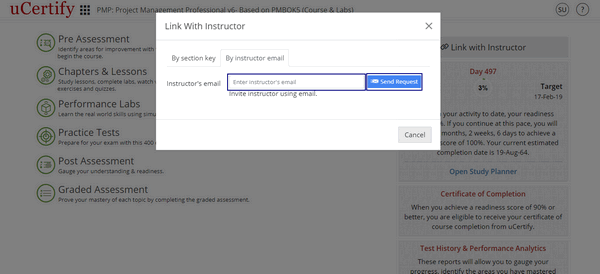
Figure 5.3: Course Dashboard with Link with your instructor by Instructor's email Option
When your instructor will approve you as his/her student, you will be linked to your instructor.
Figure 5.1: Course Dashboard with Link with Instructor Button
Figure 5.2: Course Dashboard with Link with your instructor by Section Key Option
Figure 5.3: Course Dashboard with Link with your instructor by Instructor's email Option
When your instructor will approve you as his/her student, you will be linked to your instructor.