Navigation menu
hello Guest

Student Manual
Search from Wikipedia
Select any text, and click the Wikipedia icon in the pop-up box to search from Wikipedia.
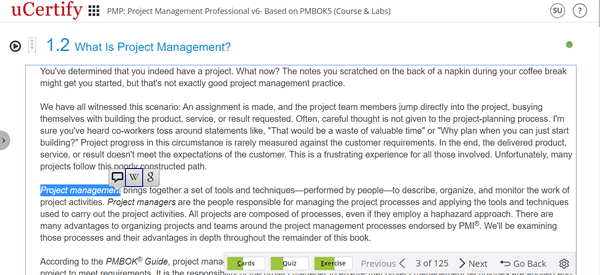
Figure 8.5: Wikipedia Icon in Chapter
Clicking the Wikipedia icon will take you to a new window with links. Click the Open button of the required link. It will open the search results of the text on Wikipedia.
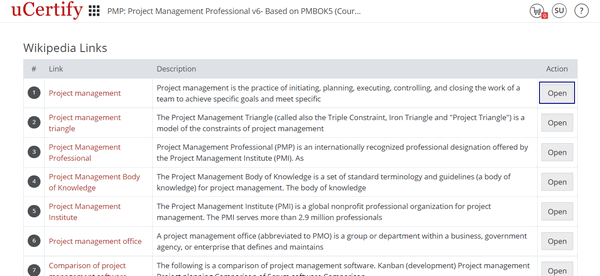
Figure 8.6: Wikipedia Links Page with Open Button
Figure 8.5: Wikipedia Icon in Chapter
Clicking the Wikipedia icon will take you to a new window with links. Click the Open button of the required link. It will open the search results of the text on Wikipedia.
Figure 8.6: Wikipedia Links Page with Open Button