Navigation menu
hello Guest

Student Manual
Custom Test
Custom Test enables you to create a set of questions based on your learning needs. To create Custom Test questions, click the Custom Test button.
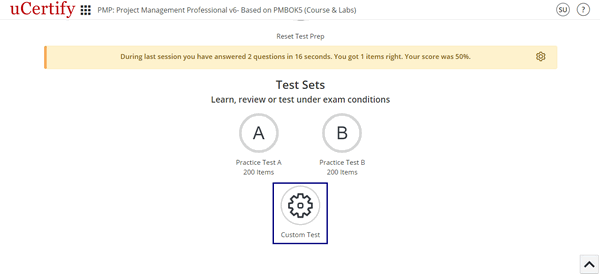
Figure 6.15: Custom Test Button
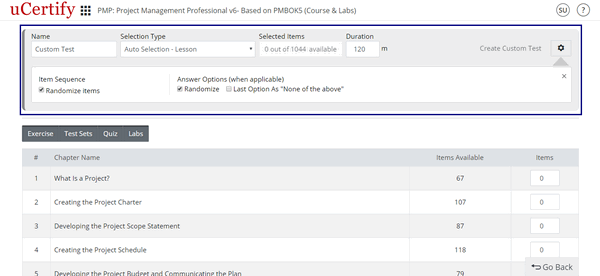
Figure 6.16: Create Custom Test Page
Figure 6.15: Custom Test Button
- Name for your custom test.
- Duration for the custom test.
- Settings for the custom test:
- Check the Randomize check box under the Items heading to randomize the items.
- Check the Randomize check box under the Answer Options (when applicable) heading to randomize the answer of each item selected for the assessment.
- To set the last option of an answer as None of the above, check the Last item as “None of the above” check box.
Figure 6.16: Create Custom Test Page
- Select mode & items for a custom test. There are two modes for selecting items for a custom test:
- Auto Selection: It allows you to choose items for your custom test with random questions from exercise, test sets, quiz, and labs.
- My Selection: It allows you to choose items for your custom test manually.